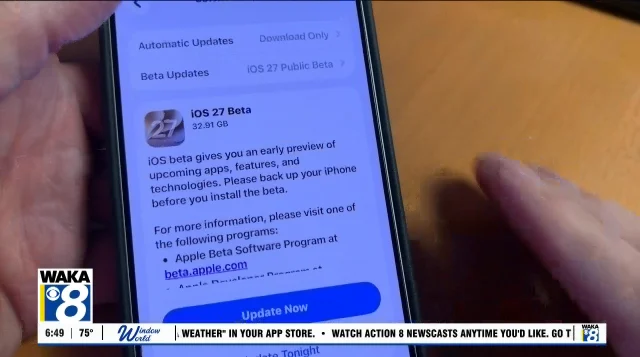
Apple has released the iOS 27 update, which introduces a range of new features for iPhone users. However, not all owners should rush to install it immediately, as there are several considerations to keep in mind.
Read More
Compatibility is the first factor to check. iOS 27 is compatible with the iPhone 11 and newer models, including the second-generation iPhone SE. This means users with the iPhone 11, 12, 13, 14, 15, 16, and later models can install the update. Those with older models, such as the iPhone XS, XS Max, XR, or any version prior to the iPhone 11 will not be able to upgrade.
It's also important to note that even if an iPhone can run iOS 27, not all new features will be available. One highlighted feature, Siri AI, requires the iPhone 15 Pro, 15 Pro Max, or iPhone 16 or newer. Additionally, the new version of Siri is not expected to be available immediately and will launch in beta later this year. If Siri AI is the primary motivation for updating, users may want to hold off.
For those planning to travel soon, it is advisable to wait before installing a major software update. Even with extensive beta testing, new issues can arise once the software rolls out to a wider audience. Problems with battery life, app compatibility, Bluetooth connectivity, and CarPlay are possible. Delaying the update until after a trip, especially if the device is essential for work or special applications, could prevent complications.
Backing up the iPhone prior to the update is crucial. Users can back up their devices using iCloud or by connecting to a computer. A recent backup can help in case the installation encounters issues.
Available storage is another critical factor. The size of the iOS 27 update varies by model and current iOS version, so users should ensure they have several gigabytes available. This can be checked under Settings > General > iPhone Storage. If storage is low, it may be necessary to delete some large files before proceeding with the update.
There is no requirement to install iOS 27 immediately. Bugs are often discovered shortly after release, and for users whose devices are functioning well, waiting a few days could be beneficial.
When ready to update, users should ensure they are connected to Wi-Fi and have their devices plugged in. The installation can take several minutes, depending on internet speed, server traffic, and the specific iPhone model. Many may opt to install the update overnight for convenience.
Lastly, post-installation, it is important to remember that battery life may initially appear worse as the device indexes files and data in the background. This is a temporary situation, and battery performance typically stabilizes after a few days.
In summary, while iOS 27 offers new features, users should weigh the advantages and potential for issues before deciding to update, especially considering hardware limitations for certain enhancements.