Before upgrading to iOS 27, it is crucial to back up your iPhone to protect essential data such as photos, messages, and contacts. To back up, navigate to Settings, tap your name, enable iCloud Backup, and then select 'Back Up Now.' If Automatic Updates are enabled, you will receive a notification when iOS 27 is ready to install. You can also manually check for updates under Settings > General > Software Update. Although upgrading is not mandatory, keeping your software current is advisable for optimal security.
Read More
iOS 27 is compatible with iPhone models 11 and newer, though features like Apple Intelligence, Siri AI, and Visual Intelligence require iPhone 15 Pro or newer for full functionality. Users on older models can refer to the section on features available to those devices.
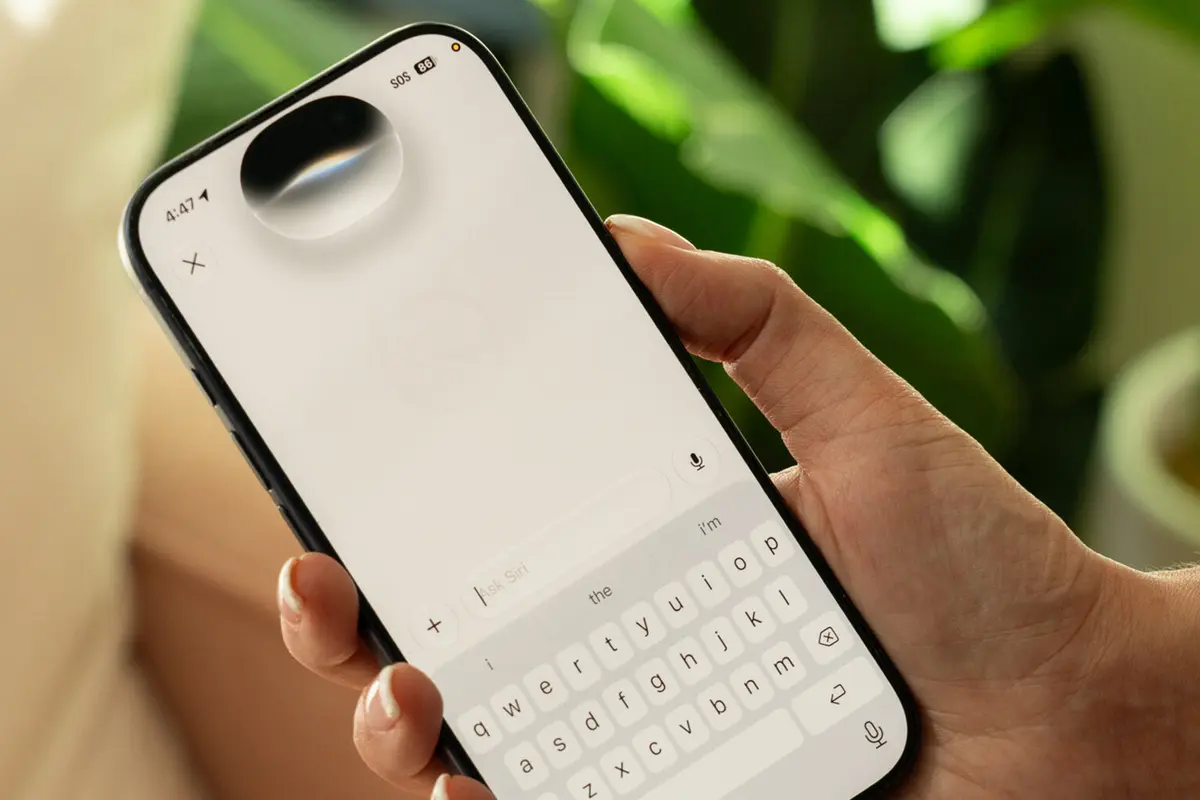
The redesigned Siri, now called Siri AI, offers improved performance and personalization. This version is equipped to understand your context and provides answers by recognizing information on your screen. When activated by saying "Hey, Siri," a shimmering orb appears in the iPhone’s Dynamic Island, showing interactive results as rich communication cards, which can also be accessed through the new standalone Siri app.
Siri AI draws on historical data from your device—such as emails and calendar events—to make informed suggestions. For instance, it successfully identified previous trips or recent recommendations with remarkable accuracy. However, it does encounter limitations; for instance, it struggled to locate a hotel confirmation stored in email. Despite occasional hiccups, many users report a significantly more reliable experience with Siri, aiding in various tasks like planning outings or retrieving information.
New features also include enhanced camera capabilities through Siri. Users can now request information by pointing the camera at an object, such as adding events to a calendar from an event schedule photo. Additionally, Visual Intelligence can break down restaurant bills by calculating who owes what from a photo of a receipt, using Apple Cash for easy payment.
Apple Wallet has been updated with a “Create a Pass” feature, allowing users to generate custom passes for cards and memberships that do not support the app natively. Users can take a photo of a card to create a pass easily. The Notify Me feature in Safari allows users to receive alerts on price drops or stock availability for online items by customizing notifications.
The Shortcuts app has also seen improvements, enabling users to create automations through simple prompts in natural language. The photo editing tool known as Clean Up now features enhanced performance, providing better retouching results and quicker processing times.
Features for older iPhones include the ability to save video frames as photos and a new filtering option in the Photos app that distinguishes photos taken by the user. The Messages app now supports continuous sending, allowing users to send multiple messages without delays due to poor connection.
Additional improvements include independent alarm volume controls, larger home screen widgets, personalized AirPods sound settings, child-safety features like 'Ask to Buy,' and customization options for Camera controls. Users can now also utilize a feature that allows multiple iPhones to share the same phone number via carrier support, currently available with T-Mobile and soon likely with Verizon.
For a full experience of iOS 27's capabilities, users should consider upgrading their devices, especially if they intend to leverage the new Apple Intelligence features.